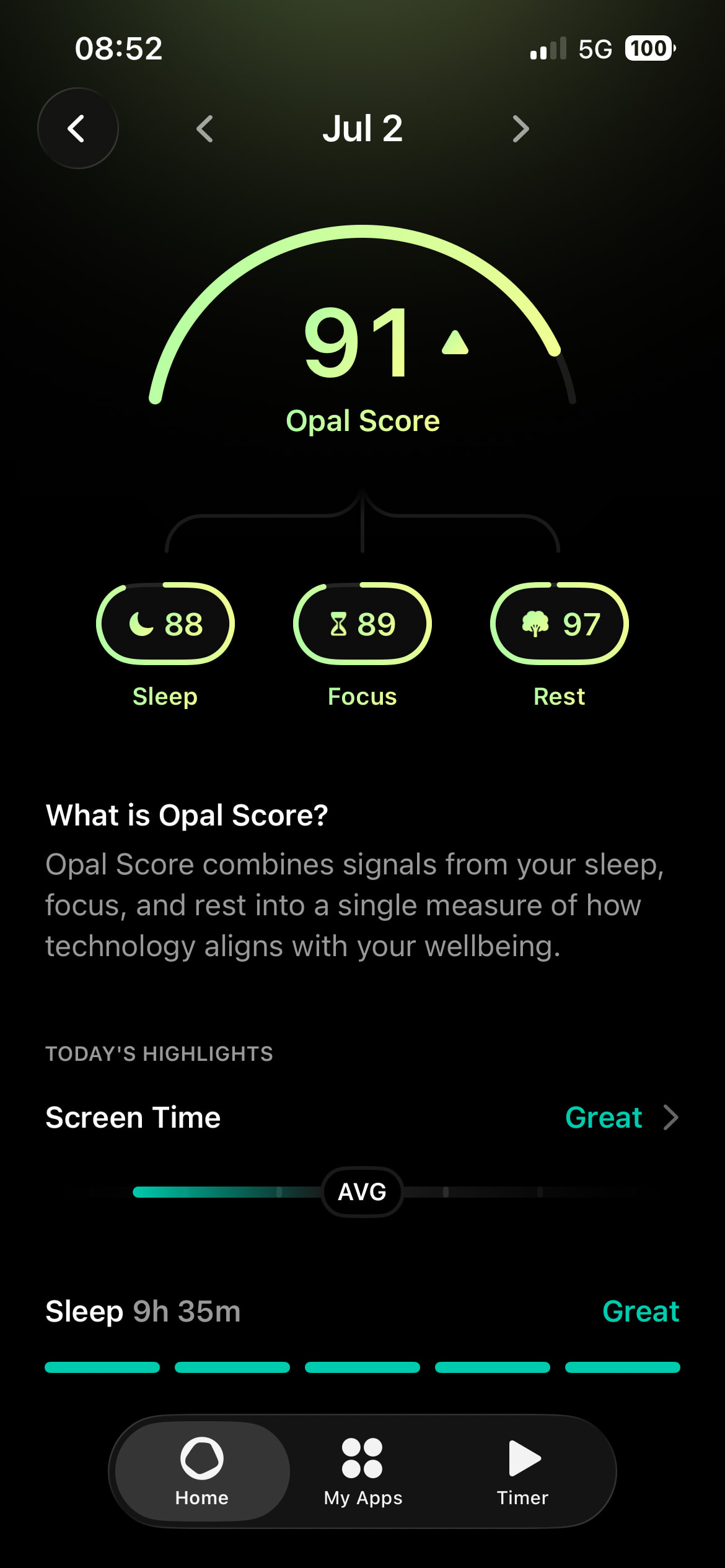
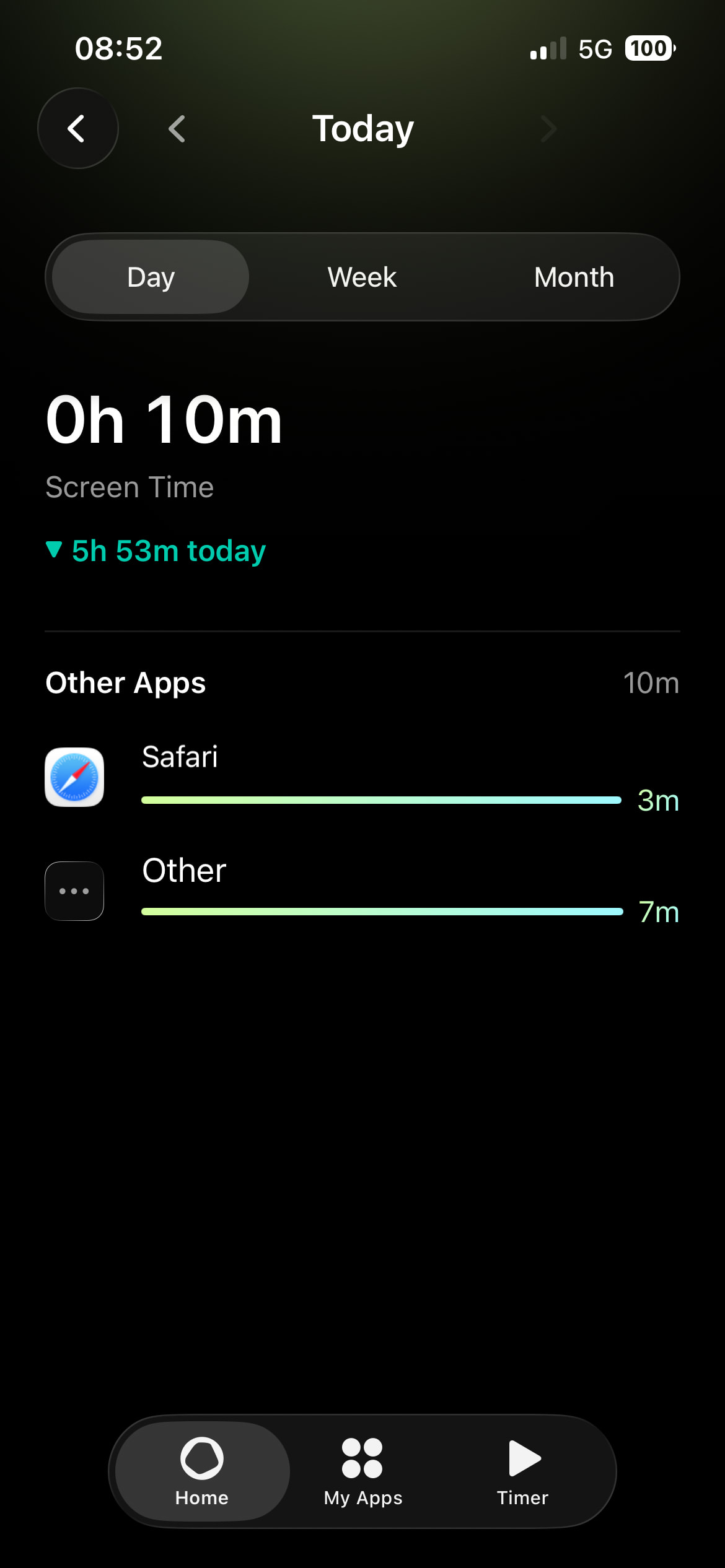
When I want to see the scoring for a previous day, I go back in the calendar at the top of the screen. When I want to view my screen time, I expect it to bring me to a page showing the screen time for that day. Instead, it shows me the screen time for today and I have to navigate back to the correct date..
App version 4.3.1
Hi @Ciestupinan , thanks for the report.
This is a known issue on our end and is not yet fixed.
Workaround for now: after the Screen Time screen opens, use the date navigator at the top to step back to the day you were viewing.
We don’t have a release date to share yet, but the fix will come in a future update. Updating to 4.3.2 (the current version) won’t resolve this — it’s still present there too.
We appreciate you flagging it!